Leap Year Settings
This section allows for the configuration on how leap years work for this calendar.
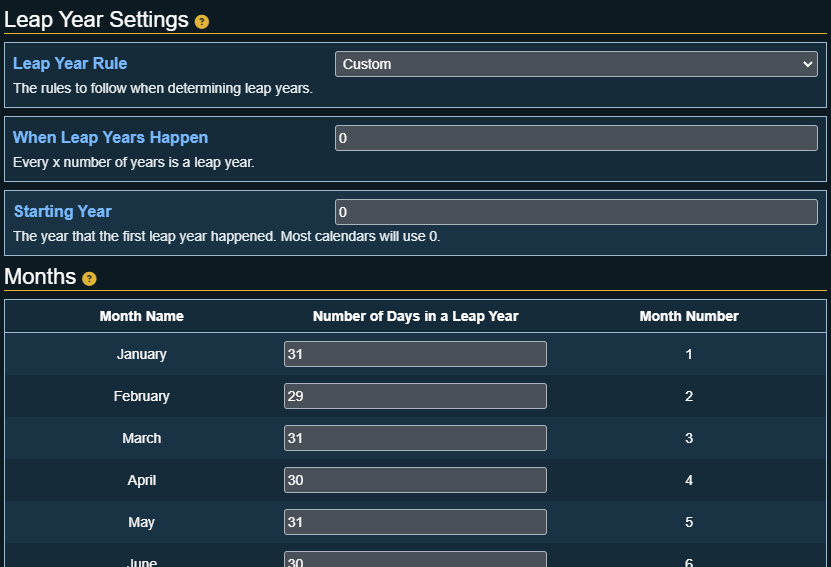
Leap Year Rule
This setting will be disabled if the Pathfinder 2E: World Clock Sync is enabled!
Which ruleset to follow when determining leap years. The options are:
- None: The calendar contains no leap years
- Gregorian: The calendars leap year rules are like the standard calendar (Every year that is exactly divisible by four is a leap year, except for years that are exactly divisible by 100, but these years are leap years if they are exactly divisible by 400)
- Custom: Allows you to specify n interval in years for when a leap year happens.
When Leap Years Happen
This setting only appears if the Leap Year Rule is set to Custom.
The number of years when a leap year occurs. Example a value of 5 would mean every 5th year is a leap year.
Starting Year
The year that the first leap year happened.
An example of this would a calendar that has a leap year every 4 years but the first leap year should be on year 1 and the next on year 5 etc. Setting this option to 1 would allow for this scenario.
Months
These settings only appears if the Leap Year Rule is set to Gregorian or Custom.
A list of months will appear that shows each month, and a textbox where you can change the number of days the corresponding month has during a leap year.
A month can have 0 leap year days set. If this is set then the month will not appear during leap years, but can appear during non leap years!